Case study

Development · Migration

AIMBE

Custom Figma design built in Elementor Pro, plus a Fellow account system with field-level Quickbase sync, member documents, and staff-friendly page editing.

Client

AIMBE

Industry

Nonprofit association

Location

Platform

WPBakery to Elementor Pro

Services

Figma design, Elementor build, member accounts, CRM sync

Timeline

Multi-phase build

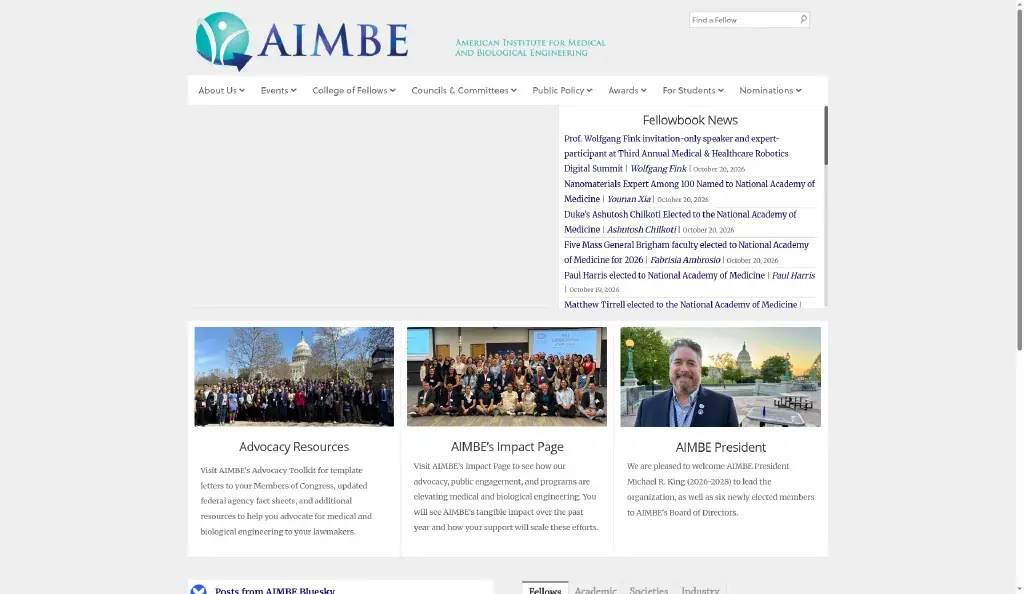
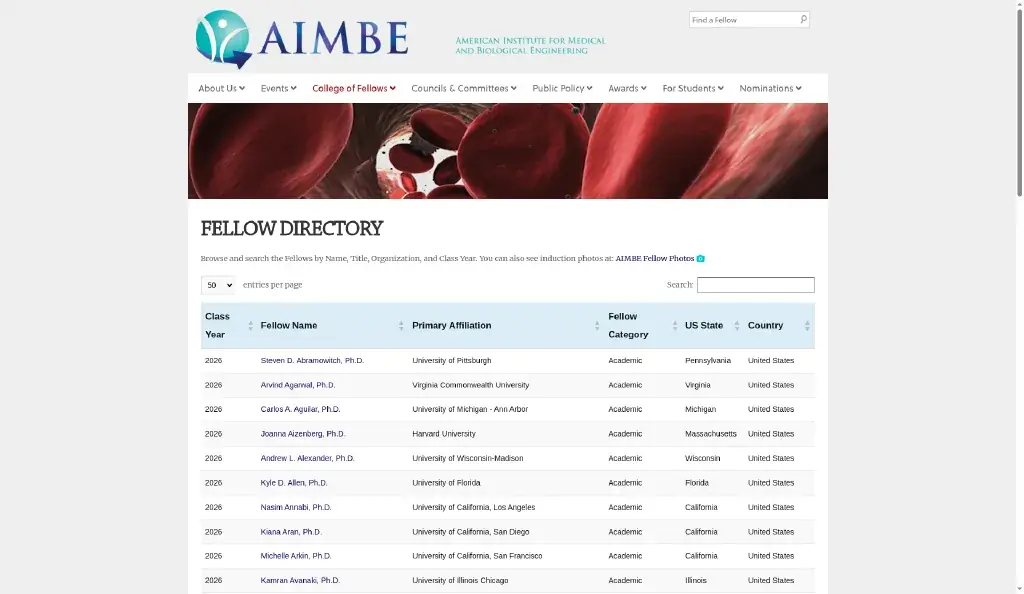
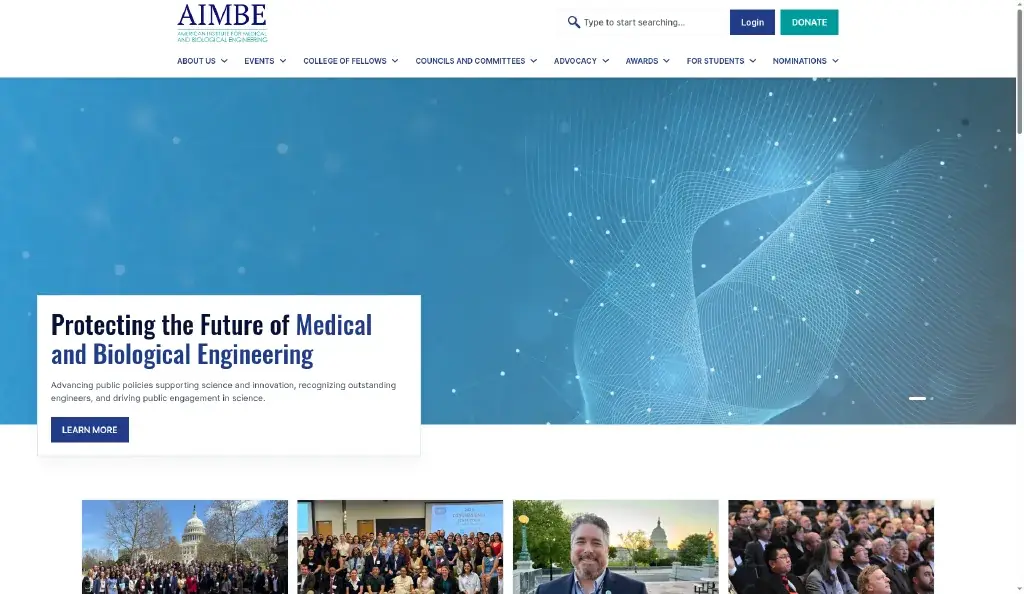
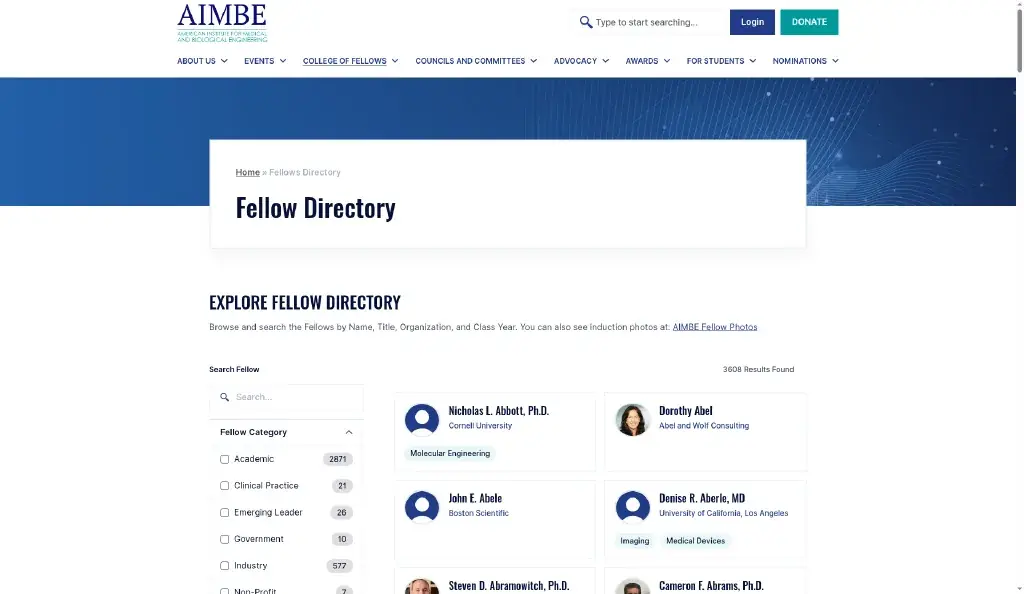
Before: aimbe.org · After: staging rebuild

Results at a glance

At a glance

What this rebuild delivered

Design-first WordPress, a real member account layer, and CRM sync rules staff control, without living in spreadsheets.

Figma-first design

Custom system, signed off before build

Elementor Pro rebuild

Hello Elementor stack for easy edits

CRM field-level sync

Public, private, and editable rules

Member accounts & docs

Profiles, account tools, document library

The challenge

A dated template site carrying a heavy Fellows workflow

WPBakery and a theme template kept the public site running, but members, documents, and CRM data couldn’t live as one system.

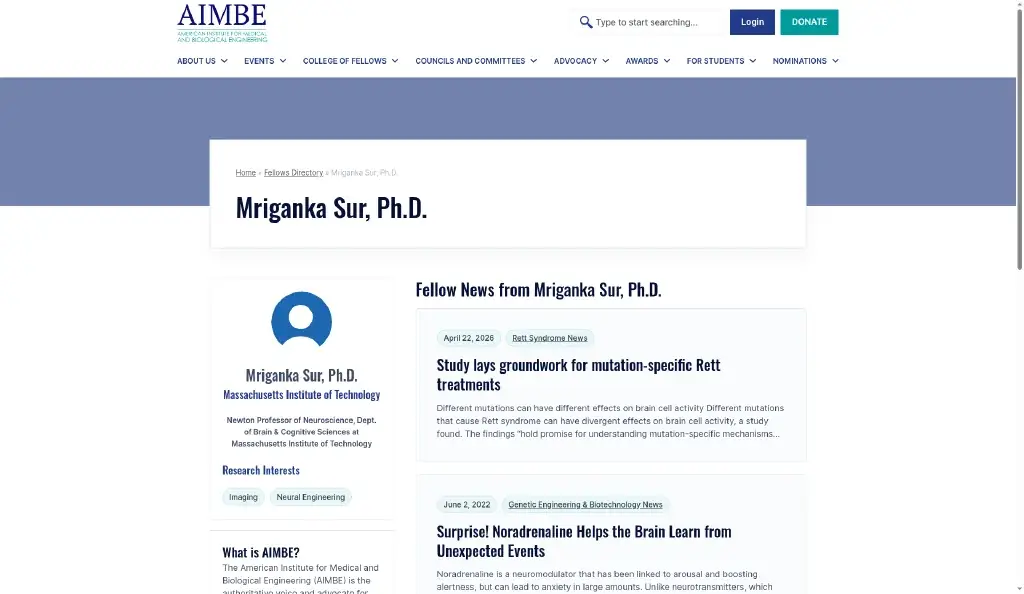
AIMBE’s live site still ran on a WPBakery / theme-template stack. It worked, but the experience looked dated, and the Fellows Directory was a dense table, not something members or staff enjoyed browsing.

Worse, Fellows records lived in Quickbase while WordPress kept its own copy. Staff were stuck importing and reconciling data by hand. There was no clean way to decide which fields show publicly, which Fellows can edit, which stay CRM-owned, or which documents belong to whom.

The brief: redesign in Figma first, rebuild for easy management in Elementor Pro, then connect a real member account layer, with Quickbase as the source of truth and WordPress as the polished front door for Directory, accounts, and documents.


Before and after

Screens

Before and after

Before

After

What we built

A connected member system, not just a redesign

Six highlights. Design, Directory UX, and a full account layer powered by CRM sync rules.

01

Figma-first redesign → Elementor Pro

Guidelines, Components, and Finals in Figma, designed and signed off, then built on Elementor Pro + Hello Elementor so staff can edit pages with confidence and room for future enhancements.

02

Fellows Directory UX rebuild

From a dense table to a card experience with search, filters, and Fellow profiles. Clearer browsing for members and the public.

03

Field-level CRM sync rules

Custom Quickbase connection with granular control: which fields show publicly, which stay private, which Fellows can edit and sync back, and which stay admin/CRM-owned and untouched by front-end edits.

04

Fellow account & user management

Password-protected account area. Fellows sign in with AIMBE ID, manage approved profile fields and photos, and use member-facing account tools staff control from the same system, including invoicing, pricing, and donations.

05

Central documents library

Staff decide which documents are global for everyone, and which are scoped to a specific person or account, so sensitive files stay in the right hands without email attachments.

06

Fellowbook tied to AIMBE ID

Posts linked to each Fellow, with admin approval before publish, and a clean link back into the Quickbase Fellowbook table.

07

08

09

How it works

One source of truth. Clear sync rules. Four front-door surfaces.

Staff keep using Quickbase. WordPress stays current. Fellows only edit what they’re allowed to, everything else stays CRM-owned.

Quickbase

Source of truth · Fellows · Fellowbook · account data

⇄

Sync rules

Public · private · editable · CRM-owned

⇄

WordPress

Directory · Accounts · Documents · Fellowbook

Staff keep using Quickbase. WordPress stays current. Fellows only edit what they're allowed to. Everything else stays CRM-owned. Field-level rules decide what the public sees, what stays private, what Fellows can push back, and what only staff touch in the CRM.

After

Clearer front door. Real member system.

Then vs now, in plain language. Screens show the public rebuild only, no admin or CRM UI.

Staff control visibility & documents

Choose what shows publicly, what stays private, and which documents are global vs account-scoped, without spreadsheet handoffs.

Fellows manage allowed account items

Approved profile fields, photos, and relevant account tools (including invoicing, pricing, and donations staff expose). Edits sync back where rules allow.

Pages stay editable in Elementor

Marketing and content pages live in a familiar Elementor Pro setup, built for future enhancements without a developer in every ticket.

Browseable directory

From a dense table to a filtered card experience with profiles, designed for how people actually look up Fellows.

Results

Stack

Designed in Figma. Built to be managed.

FigmaWordPressElementor ProHello ElementorUnlimited ElementsQuickbase JSON APICustom syncMember accountsACF

From the client

Next project

Have a similar WordPress + CRM problem?

Associations and nonprofits shouldn’t live in spreadsheets. Let’s map your source of truth to member accounts, documents, and a site your staff can manage.